> ## Documentation Index
> Fetch the complete documentation index at: https://docs.knotapi.com/llms.txt
> Use this file to discover all available pages before exploring further.
# Personalization
> Learn about automatic personalization features in the CardSwitcher experience using detected merchant accounts.
## Overview
The Knot Link SDK includes many features to personalize the cardswitching experience for users. Together, these features (as described below) provide a highly-tailored and frictionless experience to each individual user that seeks to switch their card across various merchant wallets. The set of personalization features operate across a few of Knot's direct merchant integrations: Apple, Google, and Amazon.
## User Experience
### Auto-Detection Via Email & Phone
When you pass a user's email address or phone number in the [Create Session](/api-reference/sessions/create-session) endpoint, Knot automatically detects which merchant accounts the user has online. The SDK merchant list is then personalized to surface these detected merchants, allowing users to immediately see the accounts most relevant to them without needing to search or scroll.
### Quick-Switch Merchants With Apple
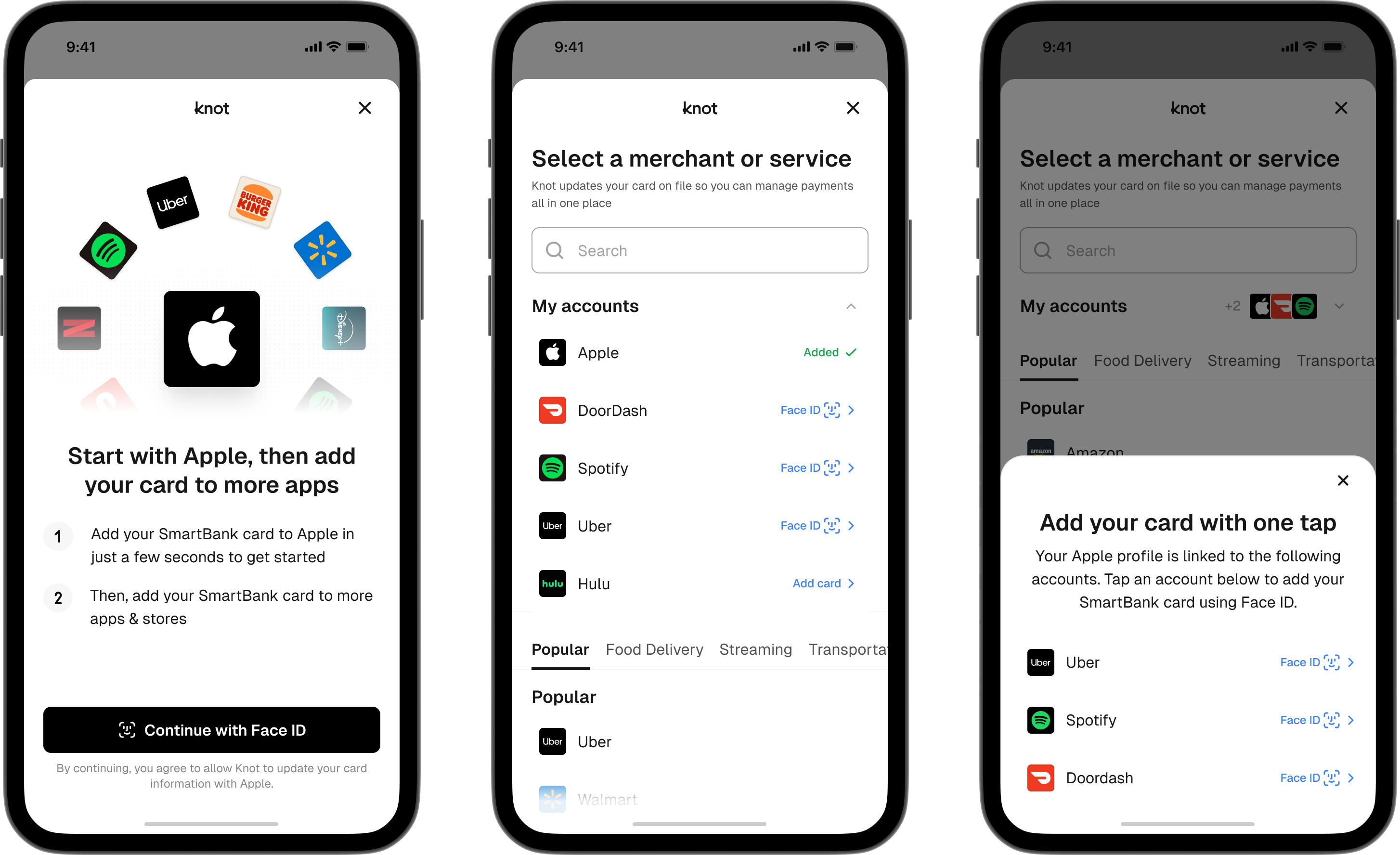
When a user switches their card at Apple, additional merchant accounts they use online are detected across two categories:
1. Merchant accounts that allow for the most frictionless form of login on iOS: **FaceID**.
2. Subscriptions and in-app purchases
These detected merchant accounts are surfaced prominently to users, reducing the friction involved in selecting the right merchants to switch their card, as well as the friction of logging in to those merchant accounts. This is achieved by the SDK supporting **FaceID** for login.
 ### Quick-Switch Merchants with Google
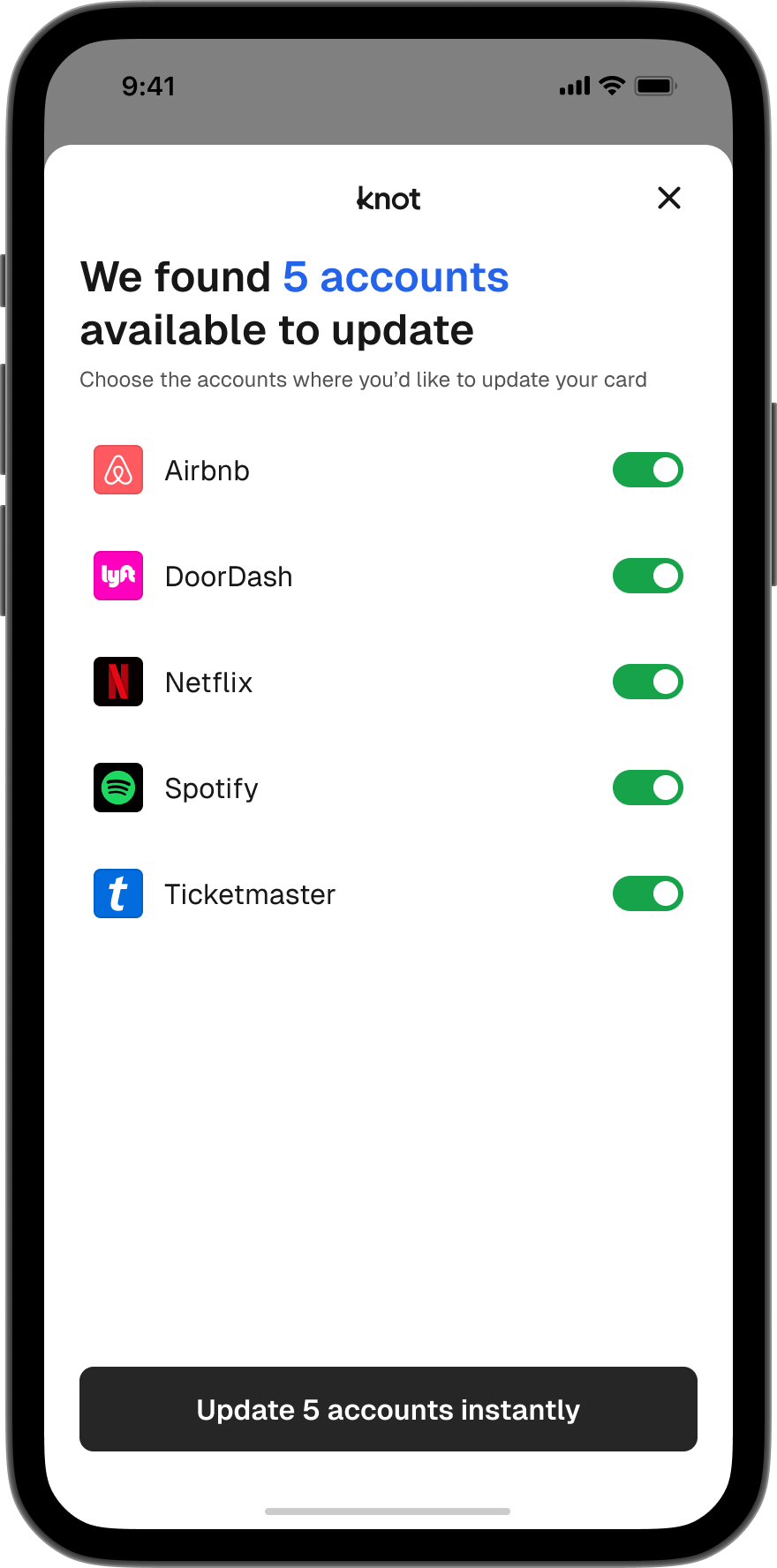
When a user switches their card with Google, additional merchants where they login with Google SSO are detected and surfaced prominently. Subsequently, users can choose to switch their card with these additional merchants **without the need to login to each individually**.
### Quick-Switch Merchants with Google
When a user switches their card with Google, additional merchants where they login with Google SSO are detected and surfaced prominently. Subsequently, users can choose to switch their card with these additional merchants **without the need to login to each individually**.
 ### Quick-Switch Merchants with Amazon
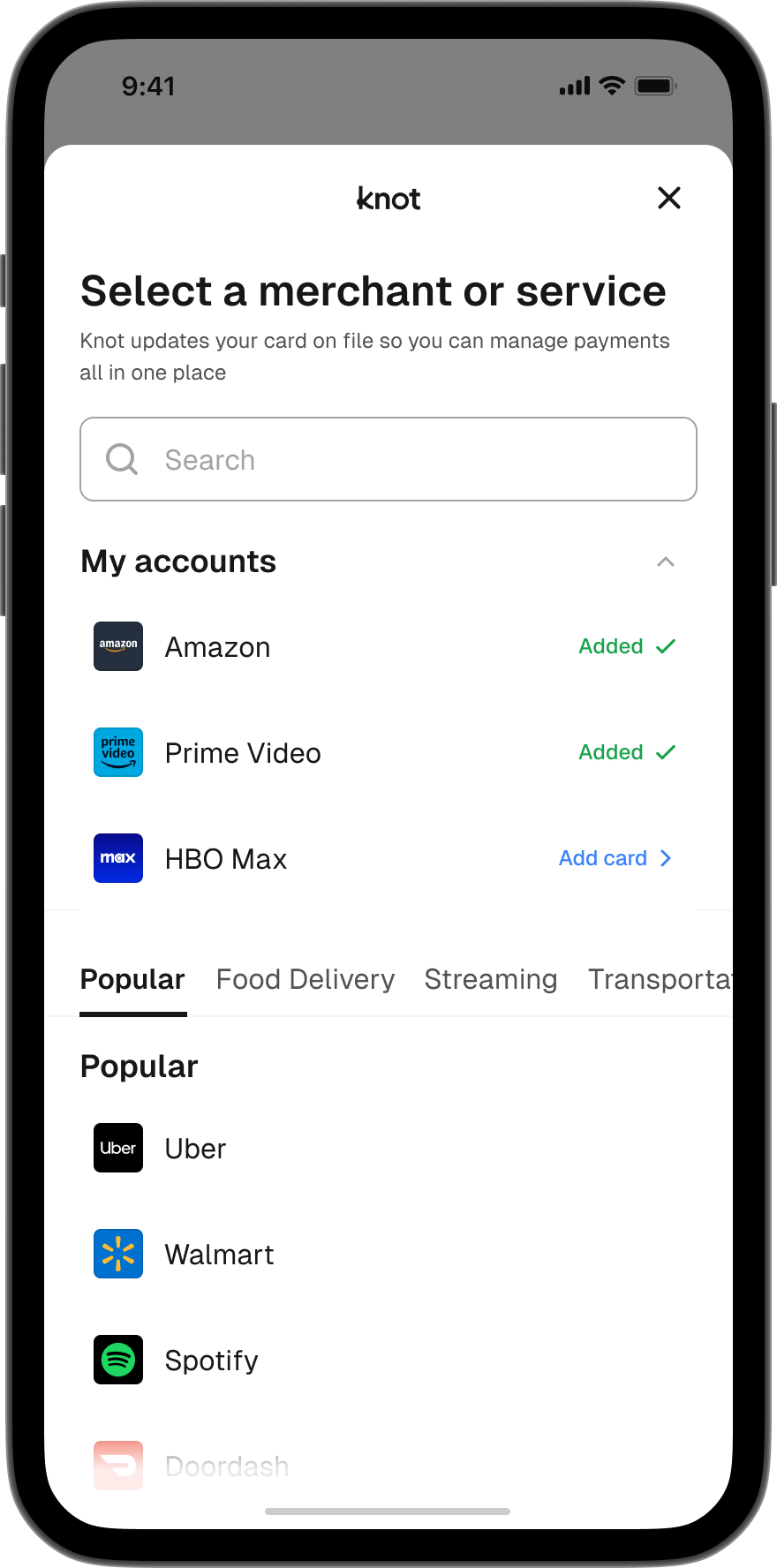
When a user switches their card with Amazon, additional merchants linked to their Amazon account are detected and surfaced prominently. Furthermore, if a user has Amazon Prime Video or Amazon Music, these services will be detected and the card automatically switched into these wallets as well. This enables you to capture the spend across all Amazon services, not just the standard Amazon.com wallet.
### Quick-Switch Merchants with Amazon
When a user switches their card with Amazon, additional merchants linked to their Amazon account are detected and surfaced prominently. Furthermore, if a user has Amazon Prime Video or Amazon Music, these services will be detected and the card automatically switched into these wallets as well. This enables you to capture the spend across all Amazon services, not just the standard Amazon.com wallet.
 ### Popular Merchants
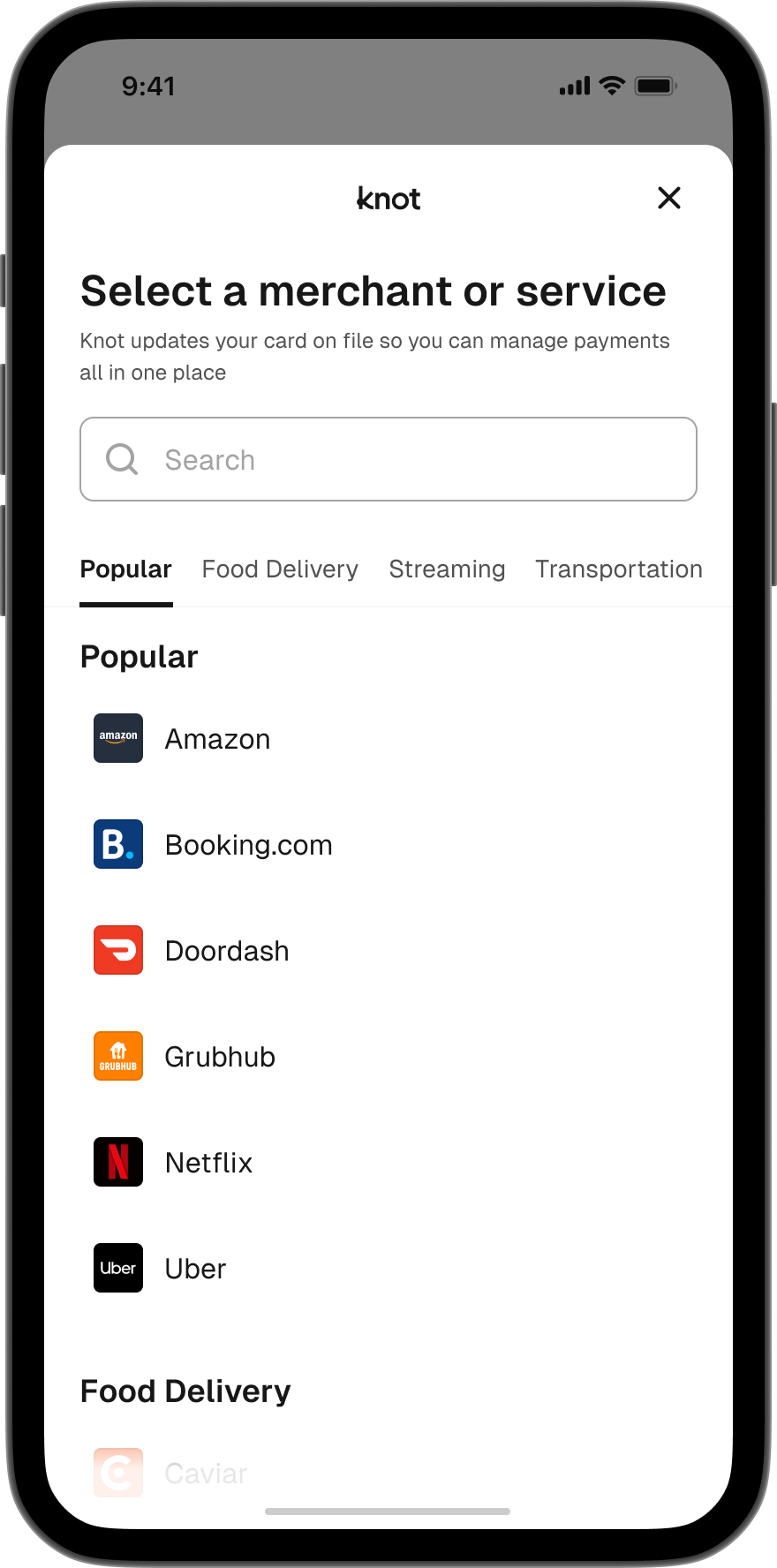
When a user first sees the Home screen that displays a list of merchants in the SDK, they are presented with a category of "Popular" merchants. This "Popular" category is dynamic (rather than static) and frequently/automatically updates based on the most popular merchants where users seek to switch their card.
### Popular Merchants
When a user first sees the Home screen that displays a list of merchants in the SDK, they are presented with a category of "Popular" merchants. This "Popular" category is dynamic (rather than static) and frequently/automatically updates based on the most popular merchants where users seek to switch their card.
 ## API
Not only are detected merchant accounts used to personalize the card switching experience, but you can also retrieve the full set of detected merchant accounts for a user. To do so, listen for the [`NEW_DETECTED_ACCOUNTS_AVAILABLE`](/detect/webhook-events/new-detected-accounts-available) webhook - its payload contains the user's detected merchant accounts. You can also call the [List Detected Accounts](/api-reference/products/detect/list-detected-accounts) endpoint to query them on demand. This can be quite useful in personalizing the set of merchants you encourage users to switch their card with through lifecycle re-engagement campaigns.
## API
Not only are detected merchant accounts used to personalize the card switching experience, but you can also retrieve the full set of detected merchant accounts for a user. To do so, listen for the [`NEW_DETECTED_ACCOUNTS_AVAILABLE`](/detect/webhook-events/new-detected-accounts-available) webhook - its payload contains the user's detected merchant accounts. You can also call the [List Detected Accounts](/api-reference/products/detect/list-detected-accounts) endpoint to query them on demand. This can be quite useful in personalizing the set of merchants you encourage users to switch their card with through lifecycle re-engagement campaigns.