> ## Documentation Index
> Fetch the complete documentation index at: https://docs.knotapi.com/llms.txt
> Use this file to discover all available pages before exploring further.
# Knot API Documentation
> Overview of Knot's merchant connectivity platform: products, SDKs, API reference, and developer resources.
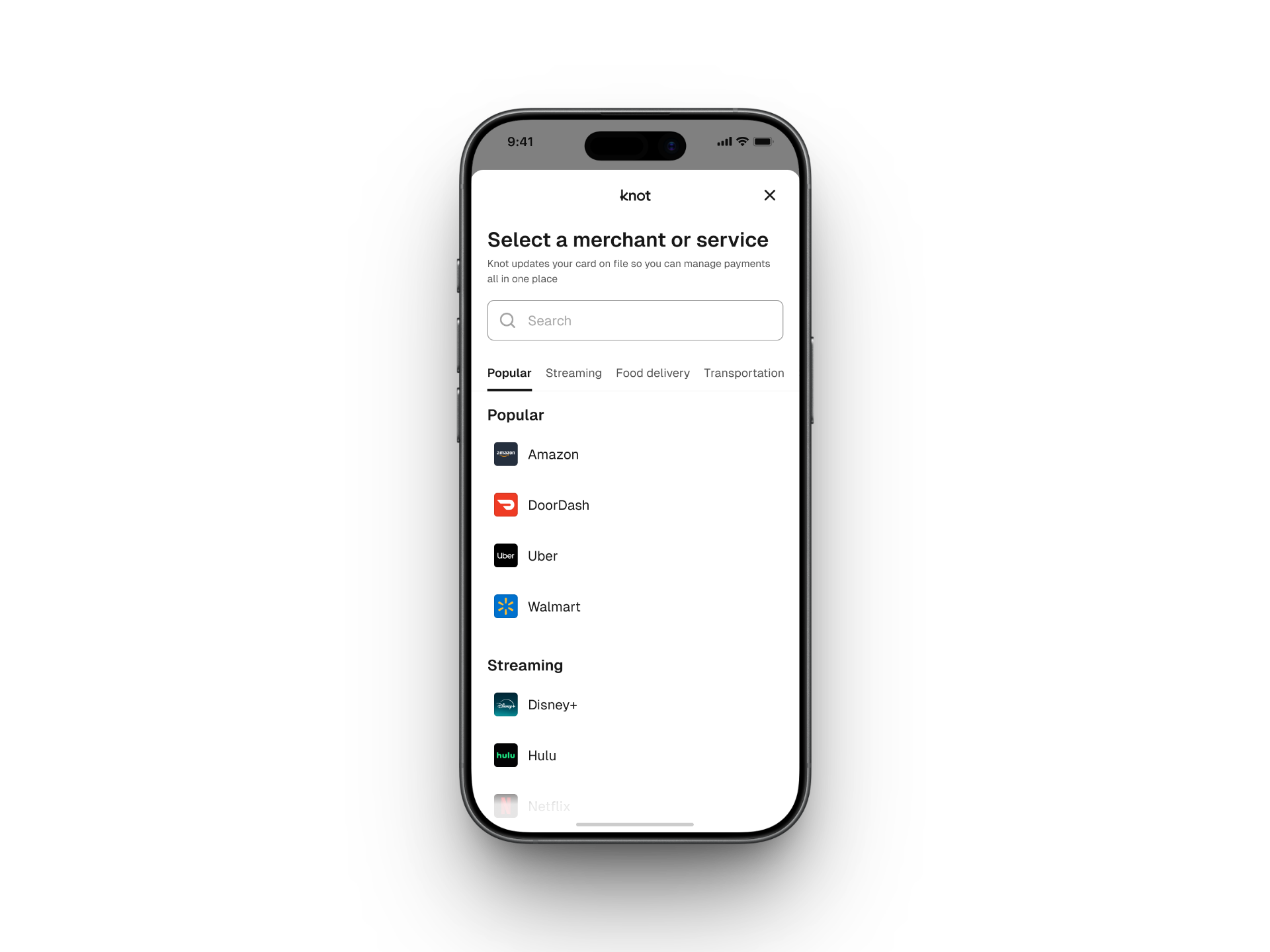 Knot is a merchant connectivity platform that financial institutions and other businesses of all sizes use to connect their applications to the online merchant accounts of their end users. Knot allows your application to read and write data to online merchant accounts for various use cases.
[CardSwitcher](/card-switcher/quickstart), for example, allows users to quickly and securely update their credit and debit cards on-file with merchants. This allows card issuers to improve and maintain top-of-wallet status across merchants.
All integrations to Knot's platform include two aspects:
1. A client-side SDK integration which handles credential validation, multi-factor authentication, and error handling.
2. A server-side integration to read data from & write data to Knot, as well as receive webhook events.
Provision cards to merchant wallets like Amazon, Netflix, and Uber.
Retrieve SKU-level transaction data from merchant accounts.
Retrieve and manage subscription data from merchant accounts.
Explore and integrate with API endpoints
Seamlessly embed Knot in your app
## Products
* [CardSwitcher](/card-switcher/quickstart) updates a user's payment card on file at merchants like Amazon, Netflix, and Uber.
* [TransactionLink](/transaction-link/quickstart) retrieves historical and ongoing SKU-level transaction data from a user's merchant accounts.
* [SubscriptionManager](/subscription-manager/quickstart) retrieves subscription and bill data from linked merchant accounts and cancels subscriptions server-side.
* [Detect](/detect/quickstart) identifies which merchant accounts a user has so you can personalize their experience.
* [Vaulting](/vaulting/quickstart) sets a digital wallet as the default payment method at a user's merchant accounts.
* [Shopping](/shopping/quickstart) creates carts and checks out at merchants directly from your app.
## Developer resources
* [Authentication](/api-reference/authentication): Authenticate Knot API requests with your `client_id` and `secret`.
* [API reference](/api-reference/authentication) and [OpenAPI specification](/api-reference/openapi.json): Every Knot API endpoint, with request and response schemas.
* [Webhooks](/webhooks): Receive and verify webhook events from Knot.
* [SDKs](/sdk/introduction): Knot SDKs for iOS, Android, React Native, Flutter, and Web.
* [MCP server](/ai/mcp-server) and [skills](/ai/skills): Build a Knot integration with AI tools.
* [Knot Dashboard](https://dashboard.knotapi.com): Manage API keys, webhooks, and team members.
* [Contact Knot](https://www.knotapi.com/contact/): Reach Knot sales, support, and press.
LLM? [Read llms.txt](https://docs.knotapi.com/llms.txt).
Knot is a merchant connectivity platform that financial institutions and other businesses of all sizes use to connect their applications to the online merchant accounts of their end users. Knot allows your application to read and write data to online merchant accounts for various use cases.
[CardSwitcher](/card-switcher/quickstart), for example, allows users to quickly and securely update their credit and debit cards on-file with merchants. This allows card issuers to improve and maintain top-of-wallet status across merchants.
All integrations to Knot's platform include two aspects:
1. A client-side SDK integration which handles credential validation, multi-factor authentication, and error handling.
2. A server-side integration to read data from & write data to Knot, as well as receive webhook events.
Provision cards to merchant wallets like Amazon, Netflix, and Uber.
Retrieve SKU-level transaction data from merchant accounts.
Retrieve and manage subscription data from merchant accounts.
Explore and integrate with API endpoints
Seamlessly embed Knot in your app
## Products
* [CardSwitcher](/card-switcher/quickstart) updates a user's payment card on file at merchants like Amazon, Netflix, and Uber.
* [TransactionLink](/transaction-link/quickstart) retrieves historical and ongoing SKU-level transaction data from a user's merchant accounts.
* [SubscriptionManager](/subscription-manager/quickstart) retrieves subscription and bill data from linked merchant accounts and cancels subscriptions server-side.
* [Detect](/detect/quickstart) identifies which merchant accounts a user has so you can personalize their experience.
* [Vaulting](/vaulting/quickstart) sets a digital wallet as the default payment method at a user's merchant accounts.
* [Shopping](/shopping/quickstart) creates carts and checks out at merchants directly from your app.
## Developer resources
* [Authentication](/api-reference/authentication): Authenticate Knot API requests with your `client_id` and `secret`.
* [API reference](/api-reference/authentication) and [OpenAPI specification](/api-reference/openapi.json): Every Knot API endpoint, with request and response schemas.
* [Webhooks](/webhooks): Receive and verify webhook events from Knot.
* [SDKs](/sdk/introduction): Knot SDKs for iOS, Android, React Native, Flutter, and Web.
* [MCP server](/ai/mcp-server) and [skills](/ai/skills): Build a Knot integration with AI tools.
* [Knot Dashboard](https://dashboard.knotapi.com): Manage API keys, webhooks, and team members.
* [Contact Knot](https://www.knotapi.com/contact/): Reach Knot sales, support, and press.
LLM? [Read llms.txt](https://docs.knotapi.com/llms.txt).