

Overview
The Knot Link SDK includes many features to personalize the card switching experience for users. Together, these features provide a highly tailored and frictionless experience for each user who switches their card across merchant wallets. The set of personalization features operates across a few of Knot’s direct merchant integrations: Apple, Google, and Amazon.User experience
Auto-detection via email & phone
When you pass a user’s email address or phone number in the Create Session endpoint, Knot automatically detects which merchant accounts the user has online. The SDK merchant list is then personalized to surface these detected merchants, allowing users to immediately see the accounts most relevant to them without needing to search or scroll.Quick-switch merchants with Apple
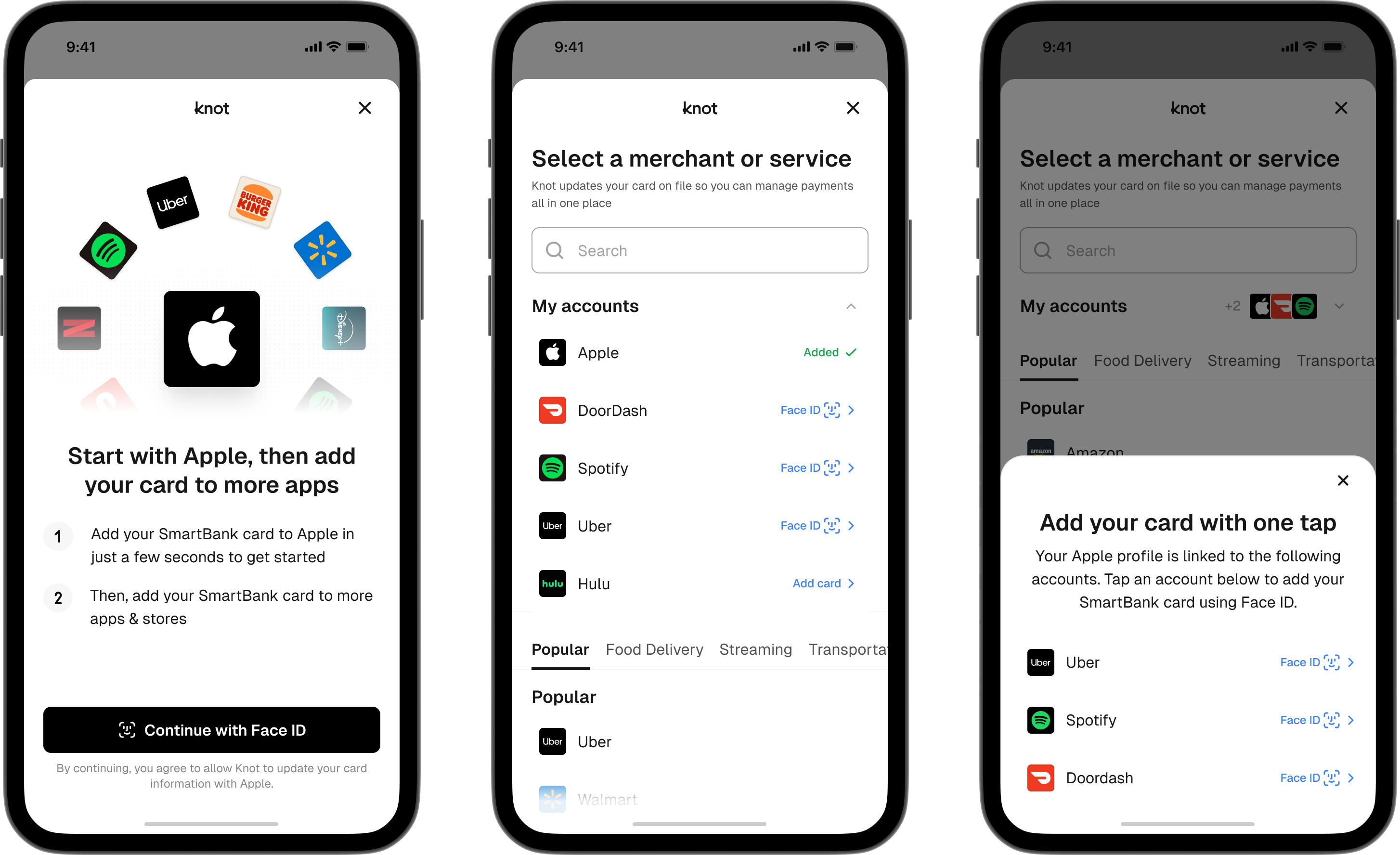
When a user switches their card at Apple, Knot detects additional merchant accounts they use online across two categories:- Merchant accounts that allow for the most frictionless form of login on iOS: FaceID.
- Subscriptions and in-app purchases
Quick-switch merchants with Google
When a user switches their card with Google, Knot detects and prominently surfaces additional merchants where they log in with Google SSO. Subsequently, users can choose to switch their card with these additional merchants without the need to log in to each individually.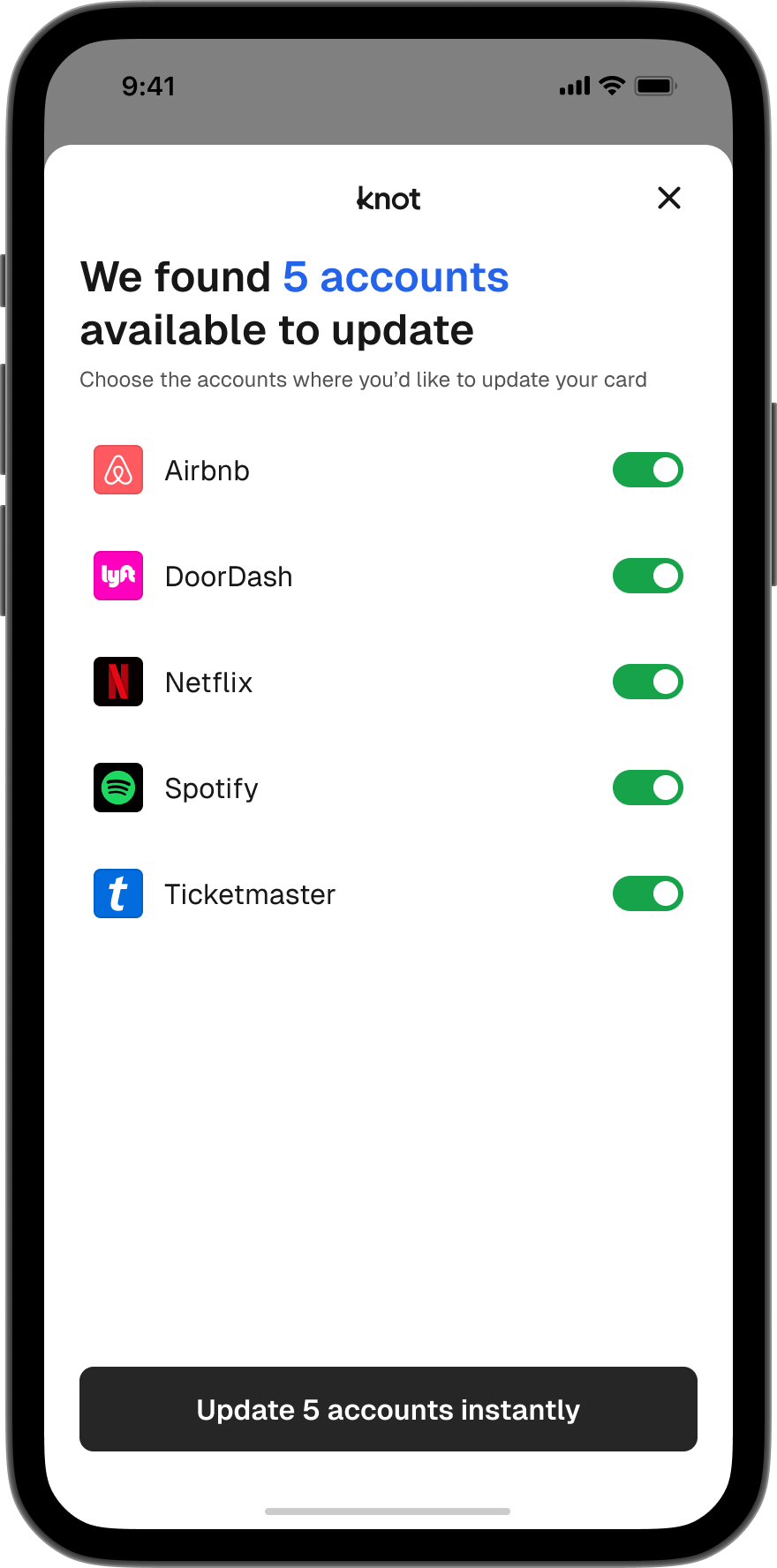
Quick-switch merchants with Amazon
When a user switches their card with Amazon, Knot detects and prominently surfaces additional merchants linked to their Amazon account. If a user has Amazon Prime Video or Amazon Music, Knot also detects these services and automatically switches the card into these wallets. This enables you to capture the spend across all Amazon services, not just the standard Amazon.com wallet.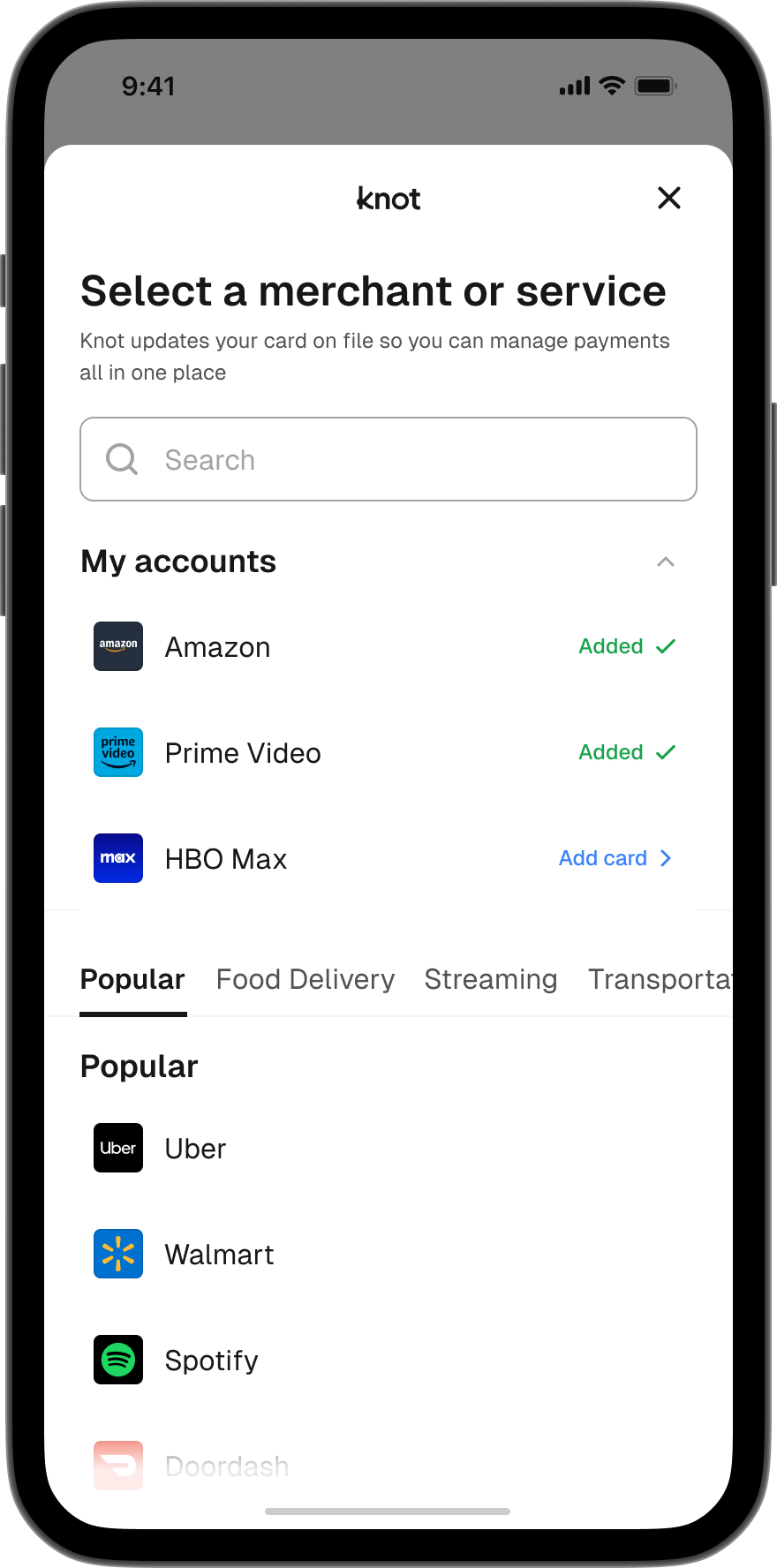
Popular merchants
When a user first sees the Home screen that displays a list of merchants in the SDK, they are presented with a category of “Popular” merchants. This “Popular” category is dynamic (rather than static) and frequently/automatically updates based on the most popular merchants where users seek to switch their card.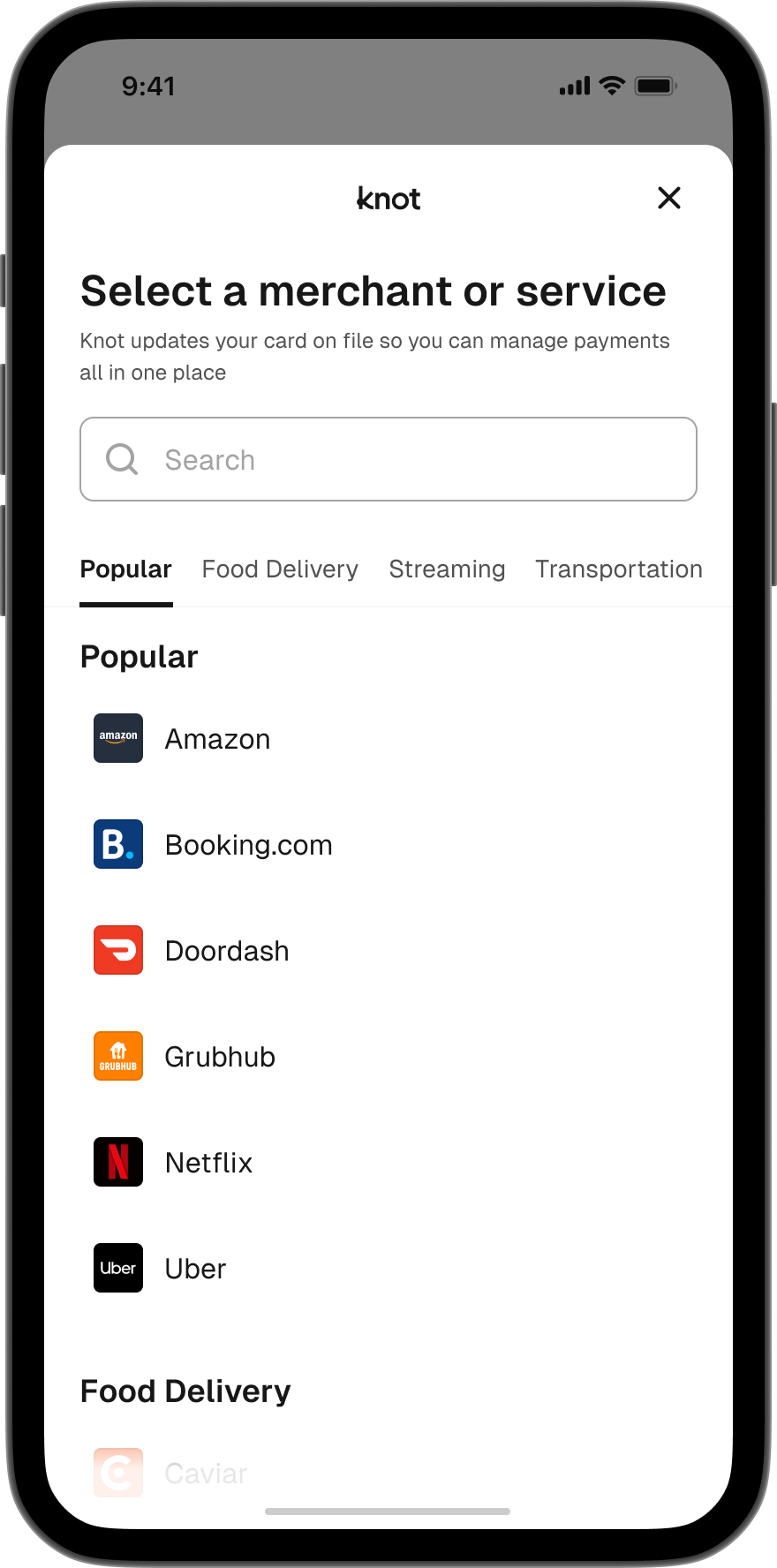
API
Not only are detected merchant accounts used to personalize the card switching experience, but you can also retrieve the full set of detected merchant accounts for a user. To do so, listen for theNEW_DETECTED_ACCOUNTS_AVAILABLE webhook - its payload contains the user’s detected merchant accounts. You can also call the List Detected Accounts endpoint to query them on demand. This can be quite useful in personalizing the set of merchants you encourage users to switch their card with through lifecycle re-engagement campaigns.