

Click “Copy Page” to copy this use case as markdown.
Problem
Cashback deal catalogs often include restaurant offers, but without knowing which restaurants a user actually visits, every deal is a guess. Generic promotions compete for attention and frequently go ignored because they don’t feel relevant. Users who regularly order through delivery platforms have strong restaurant preferences, but that signal is not available to the issuer’s app.Solution
Use SKU-level transaction data retrieved from linked delivery platform accounts via the Sync Transactions endpoint to identify which restaurants a user already frequents. When a cashback deal becomes available at one of those restaurants, surface it proactively to a segment of users, personalized with the user’s actual order history.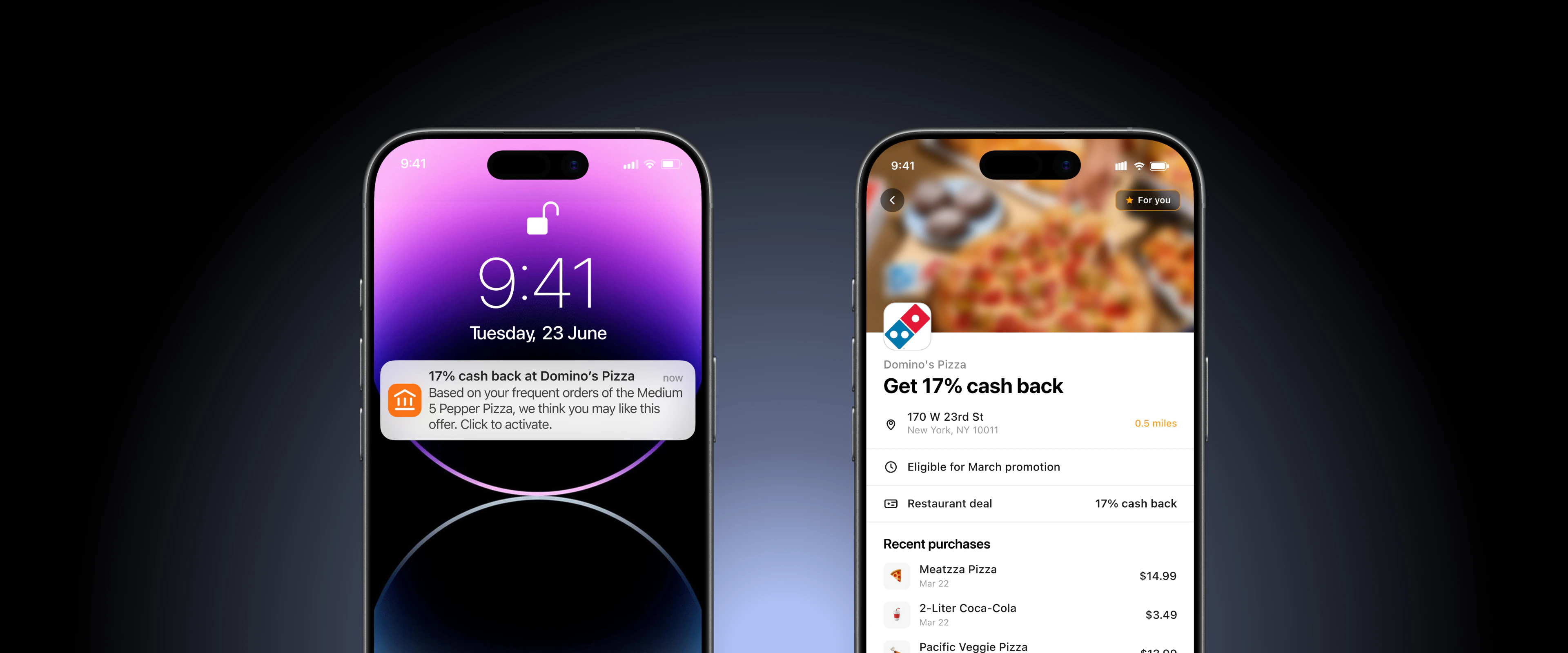
Flow
Implementation
Sync transactions and build restaurant preferences
When a user switches their card at a delivery platform or they simply link their merchant account w/o switching their card, Knot begins collecting transaction data for that account. Listen for the
NEW_TRANSACTIONS_AVAILABLE webhook event, then call Sync Transactions to sync SKU-level transactions on a daily basis. For each delivery platform transaction, read products[].seller.name to identify the restaurant.Key fieldsOnly include transactions with
order_status of COMPLETED, DELIVERED, PICKED_UP, SHIPPED, BILLED, or ORDERED. Filter out CANCELLED, REFUNDED, and FAILED.Store restaurant-level preference data per user. For each transaction, increment order count and last-order timestamp for the restaurant.Match deals to user preferences
When a new deal is added to your deals catalog for a restaurant, query your preference store for users who have ordered from that restaurant recently.Configuration decisions for your team:
Notify the user and surface the deal
Send a push notification and surface a deal card in the issuer’s app deals or offers section.
products[].name values for that restaurant, limited to 3 items. If products[].image_url is available, use it as the image for each product in the list.Expansion path
- Historical preference scan: On initial account link, scan historical transactions to immediately identify restaurants the user already frequents. Users get a relevant deal the first time they open the offers section rather than waiting for new orders to accumulate.
- Grocery and convenience expansion: Apply the same logic to grocery delivery merchants.
products[].seller.nameidentifies the specific store brand or product type, enabling matched deals on grocery staples, household items, and beverages. - Frequency tiers: Segment users by order frequency (2-4 orders vs. 5+ orders) and surface different deal messaging. Frequent visitors may respond better to a loyalty-framed offer (“Your go-to Domino’s”). Less frequent visitors may respond better to a discovery-framed offer (“You’ve ordered here before, here’s a deal to come back”).